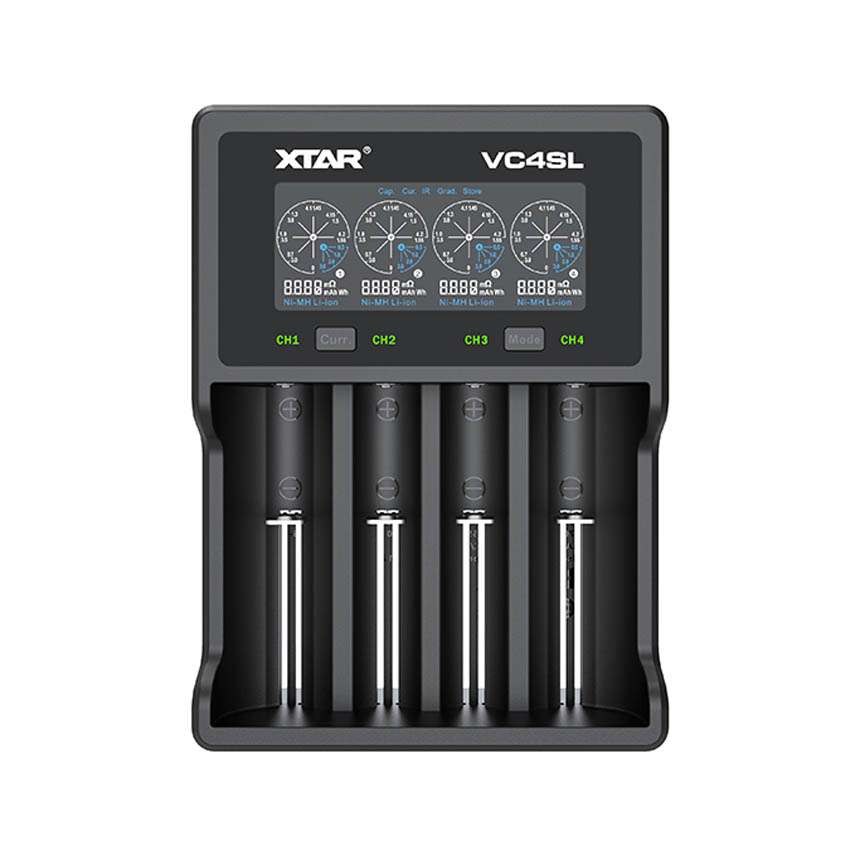
Lithium-ion cell charger for 18650 cells
Rated 4.7 out of 5: 4.7 · 34 ratings
Charge the spare cells while the lantern keeps working, and see each cell's voltage and capacity on the screen.
XTAR VC4SL four-bay charger with an 18 W QC3.0 adapter (per the Amazon listing); batteries not included
We earn a commission if you buy through these links, at no cost to you.
Manuals and documents
- 4 bayseach charged and shown separately
- 0.25-3 Acharging current you choose, per XTAR
- 4.2 Vstops at the lithium-ion full charge, per XTAR
- Capacity testand a storage mode, per XTAR
“Four cells in the lantern, four charging on the shelf. The light never waits on the battery.”
The LT1 lantern charges its own cells over USB-C, and that is the simplest way. But if you keep a spare set of four, a separate charger fills them while the lantern keeps lighting the room, and you swap in a full set when the first runs down.
Our rules for that charger: made for 3.6 or 3.7 V lithium-ion cells and stopping at 4.2 V, each bay charged and shown on its own, from a known flashlight-charger maker. XTAR is one of the two we name. The VC4SL charges four cells independently, lets you choose the current from 0.25 to 3 A, shows each cell's state on its screen, and can test a cell's real capacity or set it to a storage charge, all by XTAR's description. It charges NiMH AA and AAA cells too, so one charger covers the eneloops as well.
Other models
How to use it
- Plug it into the adapter from the box, or a QC3.0 or PD adapter of 20 W or more.
- Insert each cell the right way round, positive to the plus mark. The screen shows each bay's voltage and progress.
- Charge only above freezing, on a hard surface where a fire would be seen, and do not leave it running alone overnight.
- Never charge lithium-ion cells in a NiMH-only charger. Before putting spares away for a season, use the storage function to leave them about half charged.